Forward orders / stock / nursery logs
Nursery production software. Plan from customer demand.
Plan nursery production from forward orders, rootstock demand and current stock. Review varieties, quantities and delivery periods so the growing team can discuss what needs to be produced, and when.
Start with the commitments
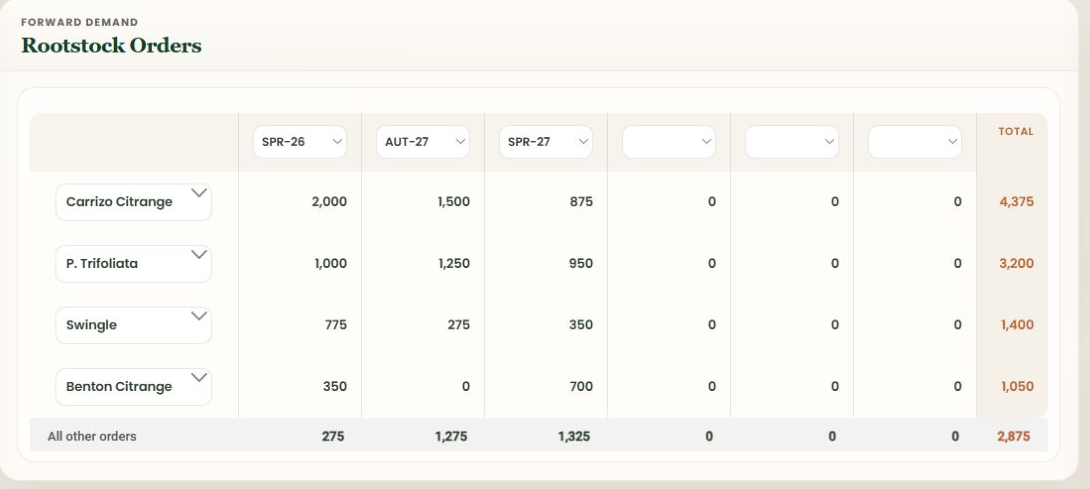
Forward demand.
Across growing periods.
Forward orders should inform the growing plan, not sit only in the office. Compare customer quantities across delivery periods and rootstock combinations. A commitment for the next period and one for a later season may call for different nursery work, even when they share a variety.
Review forward orders
Start with forward customer orders: the required variety, scion, rootstock, quantity and delivery period. Keep each commitment distinct before reviewing the combined demand.
Compare demand and stock
Use dashboard views to inspect rootstock demand and stock across selected periods or containers. Refer back to inventory records to distinguish plants on hand from stock still at an earlier growing stage.
Plan the nursery work
Use the records to inform growing decisions, handovers and reporting discussions. Your team decides the growing programme; NurseryOps provides order, stock and production-period context rather than an automated crop schedule or forecast.
Recorded growing detail
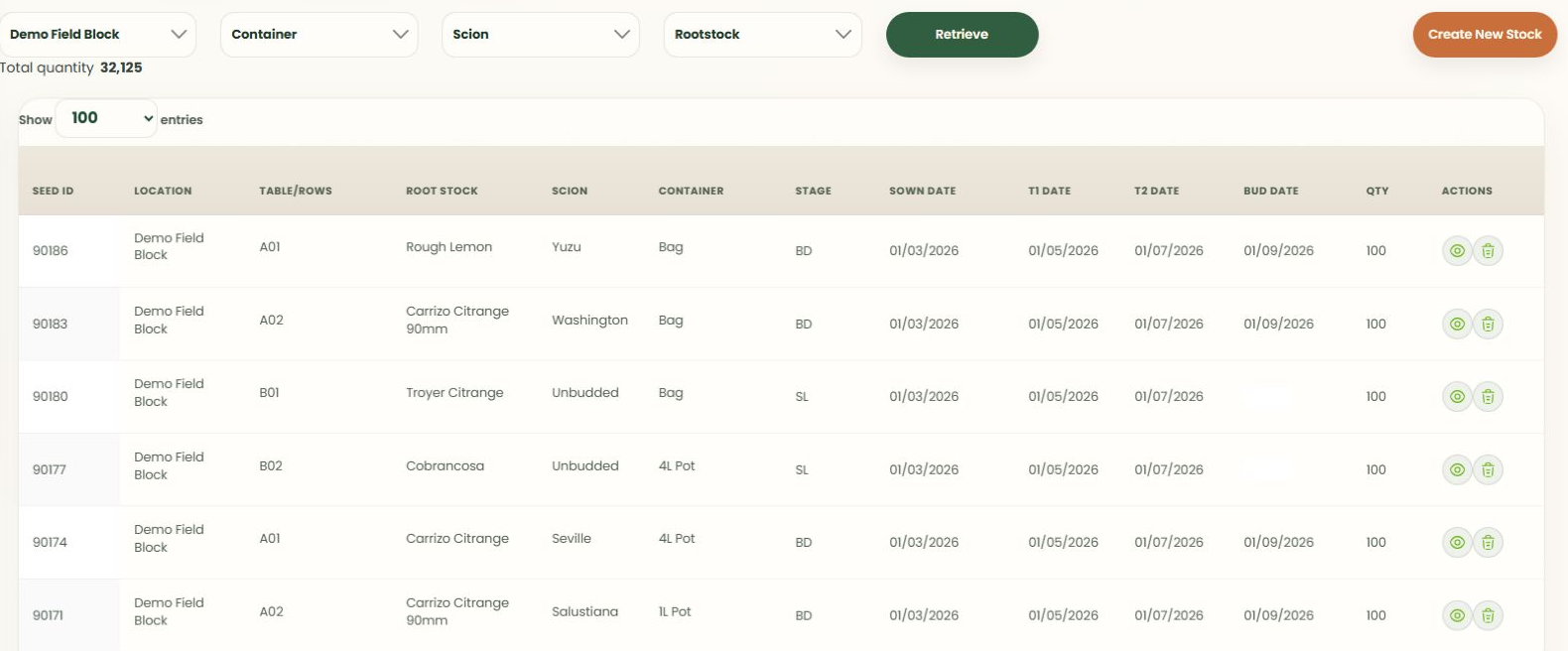
Keep the batch
in view.
Keep location, table or row, container, growing stage and production dates in view as plants move through the nursery. Review the scion and rootstock combination as well as quantity: the right number of plants is only useful when it matches the intended variety and growing period.
Explore inventory recordsQuality & operational records
Keep the checks
with the operation.
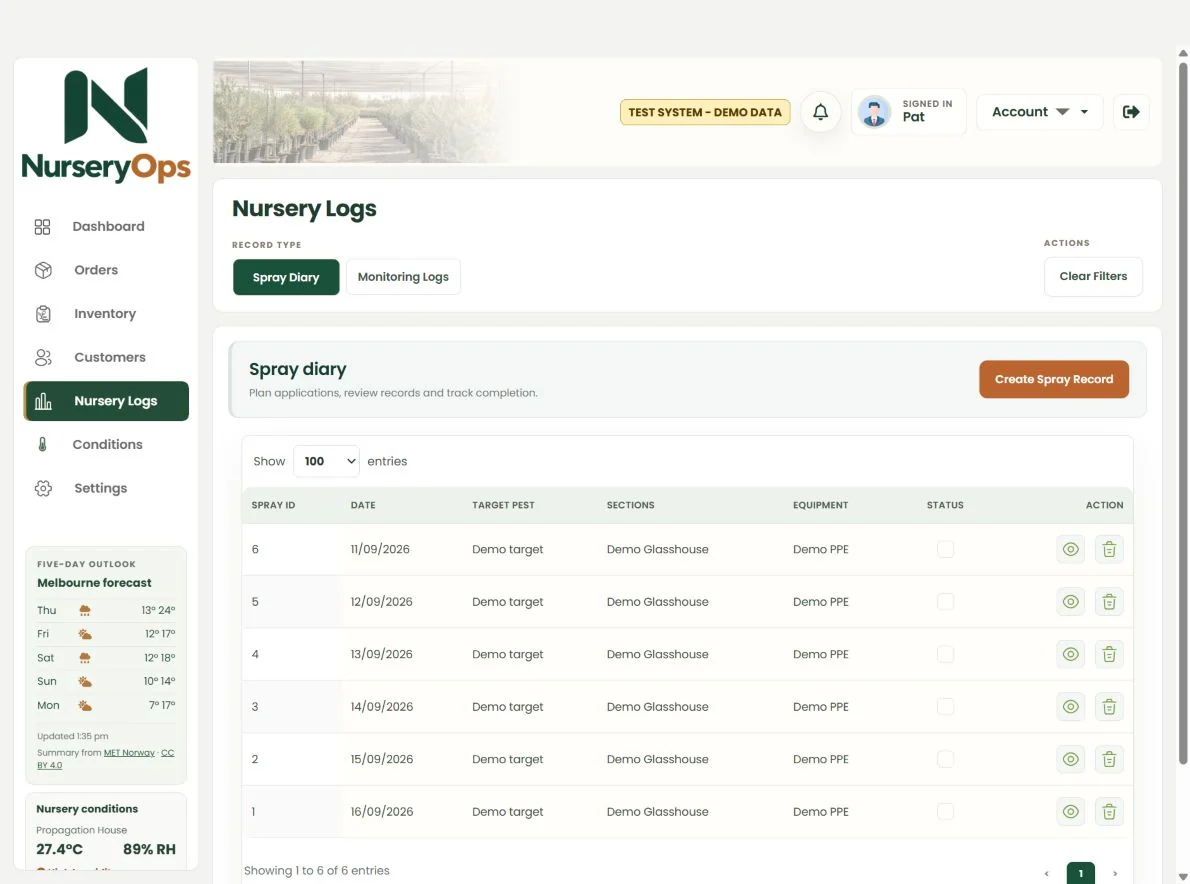
Nursery Logs brings spray records, water checks and potting-media observations into the system. These records support operational and quality-control work.
They are not an automated release gate or a certification claim. Any additional approval steps would be separately scoped.
Your nursery, your process
Production is not
one-size-fits-all.
Talk us through your seasons, varieties, locations, reporting needs and handovers. For example, the office may need a customer-period view while the growing team starts with rootstock demand. We agree the record structure and configurable workflows, and identify any custom development separately.
Discuss your production workflowSee it with your workflow in mind
Let's talk nursery operations.
Bring your order process, stock questions and awkward spreadsheets. We'll show you where NurseryOps fits.