Find the right combination.
Filter by scion and rootstock instead of relying on a general plant description. Keep variety reference records consistent with the inventory you maintain.
Stock / availability / varieties
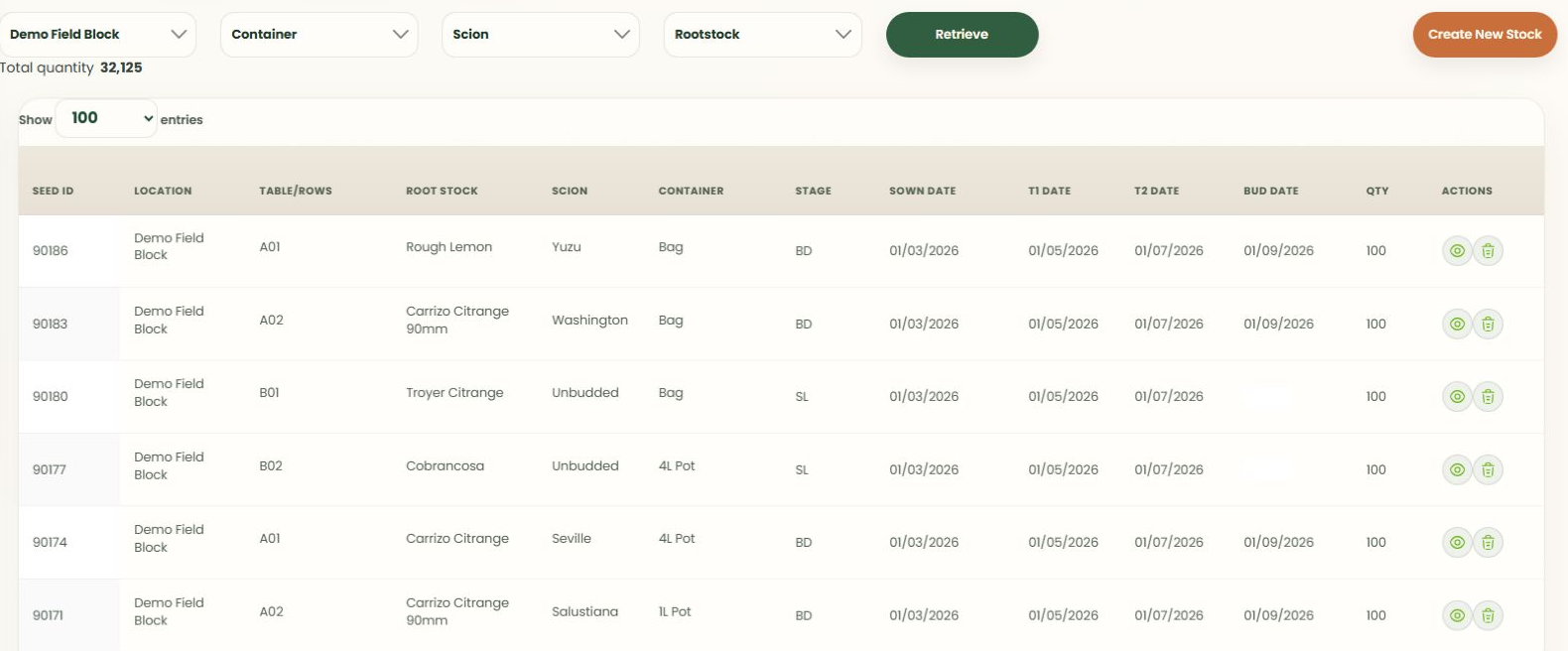
Find stock by the details your nursery actually uses: location, container, scion, rootstock, production dates and quantity.
More than a product code
Filter by scion and rootstock instead of relying on a general plant description. Keep variety reference records consistent with the inventory you maintain.
Use nursery locations and table or row references to keep the physical position of stock visible to the team.
Keep containers, growing stages and recorded sowing, transplant and budding dates with the batch.
Review and maintain inventory, export a current view and scope any existing-data import carefully during implementation.
Stock versus commitments
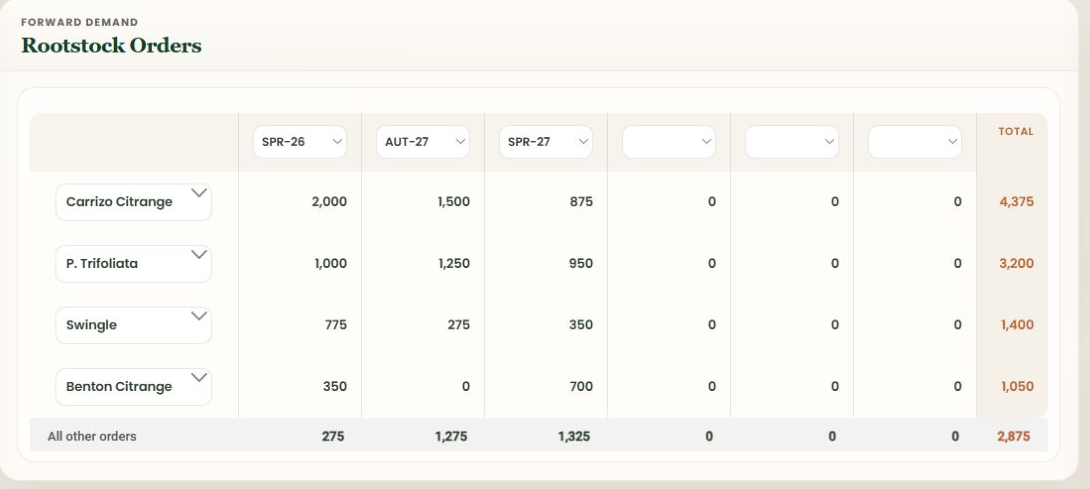
Stock tells you what exists now. Orders show what customers expect in future periods. Review both before making the next commitment or deciding what must be grown.
The dashboard provides stock and order views by period; it does not replace your team's growing judgement.
See production planningFrom the nursery to dispatch
Stock selection is part of the dispatch workflow. Record what is leaving and retain a dispatch history against customer orders.
See staged dispatch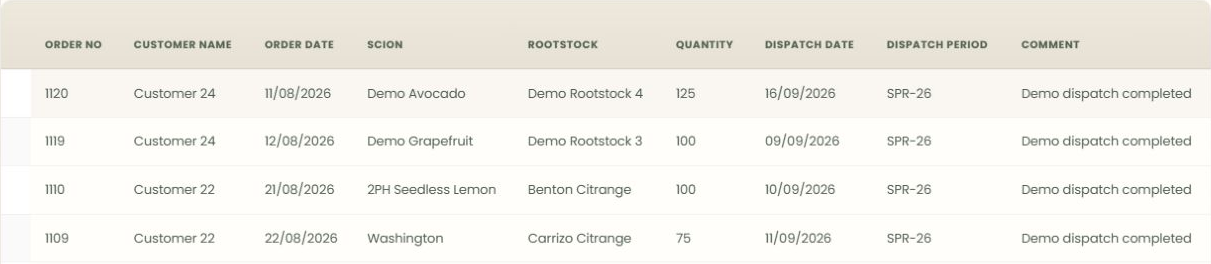
See it with your workflow in mind
Bring your order process, stock questions and awkward spreadsheets. We'll show you where NurseryOps fits.