Orders / agreements / dispatch
Nursery order management software. Built for what happens next.
Connect forward orders, customer agreements, signing and partial dispatch, while keeping each variety and delivery period visible.
01 / Customer commitments
Several orders.
One customer relationship.
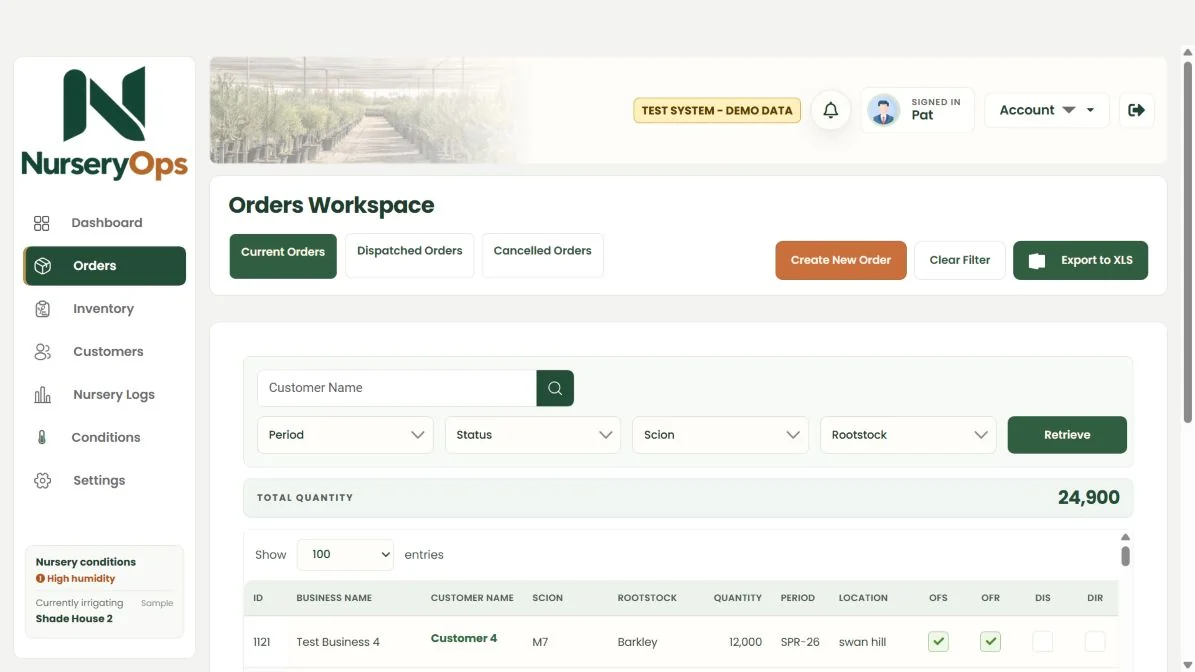
Keep individual orders for different varieties and periods without splitting the customer history across separate spreadsheets. Look back at previous orders before discussing the next season.
- Current, dispatched and cancelled order views
- Customer history with quantities and varieties
- Delivery periods held against each order

02 / Agreement generation
Bring the right
orders together.
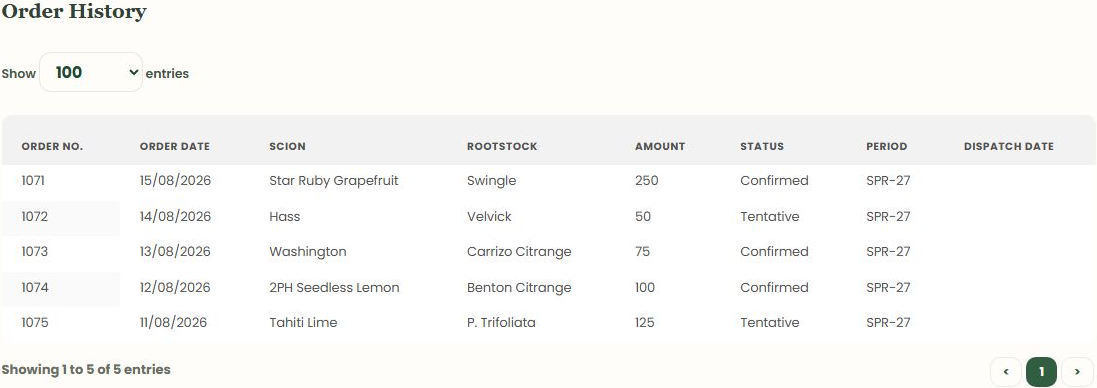
Select eligible orders for the same customer and combine them into an agreement. The order lines remain distinct, with their scion, rootstock, quantity and delivery period.
Preview the generated PDF before sending. A change to an already-sent agreement needs the appropriate revision workflow.
03 / Commercial detail
Put the terms
in the agreement.
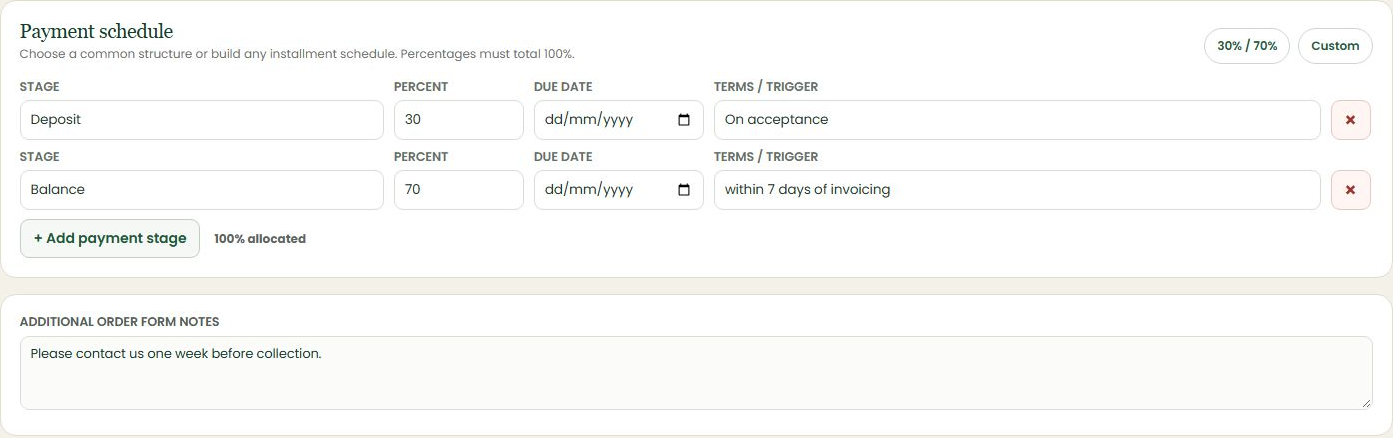
Tree pricing is only part of the conversation. Record royalty amounts and descriptions, payment stages and special comments in the agreement workflow.
Use the Xero billing panel in the order workspace to review payment stages, prepare invoices and track payment status.
- Percentage-based payment stages and dates
- Royalty descriptions against the relevant order lines
- Special comments included in the document
04 / Electronic signing
Send. Sign.
Keep the record.
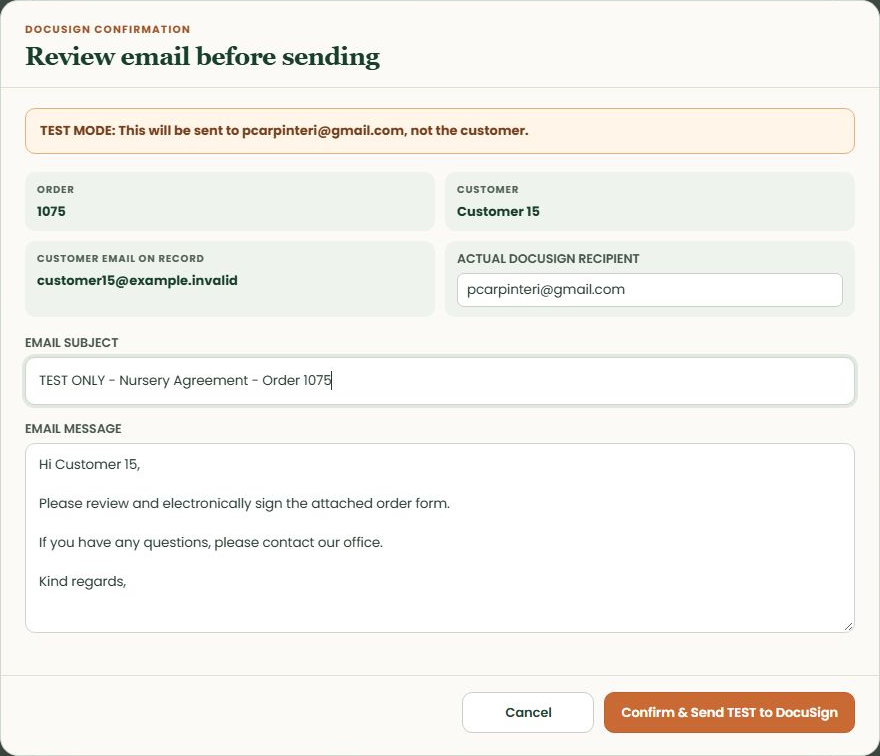
Review the recipient and email message before sending through DocuSign. Signing status and the signed PDF connect back to the agreement workflow. Recently returned agreements also appear on the dashboard for quick follow-up.
Your DocuSign account and sending preferences are configured during implementation.
05 / Collection & delivery
Not everything
leaves at once.
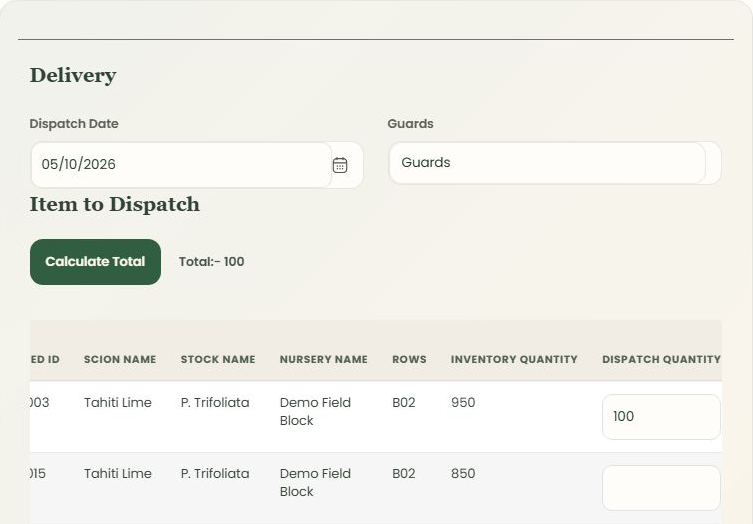
Dispatch the quantity that is actually leaving, with a dispatch date and stock selection. Partial dispatch supports orders collected or delivered in stages.
Review dispatched quantities and history without treating every order as a single all-or-nothing event.
Connected to the nursery
Orders inform the work ahead.
See it with your workflow in mind
Let's talk nursery operations.
Bring your order process, stock questions and awkward spreadsheets. We'll show you where NurseryOps fits.